Blackmagic Camera
Screenshots
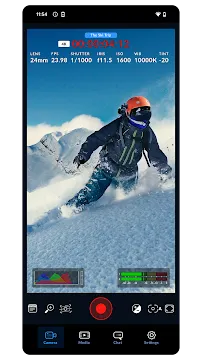
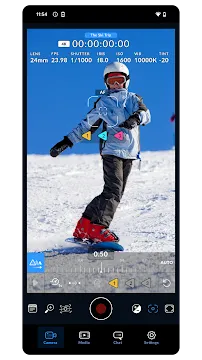
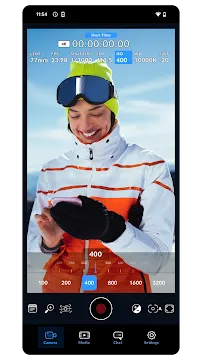
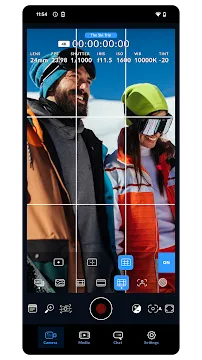
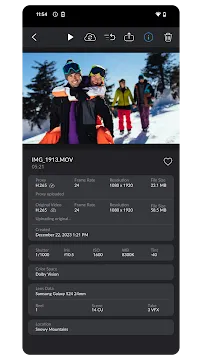
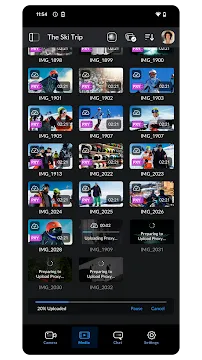
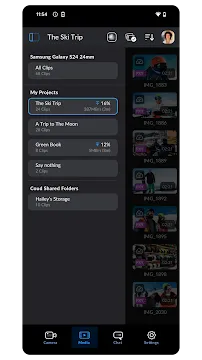
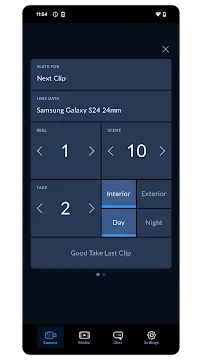
Blackmagic Camera For Android changes how you shoot video on your phone. This app puts professional controls right at your fingertips. It was once only for iPhone users. Now, Android filmmakers can use it too. You get tools that mirror a high-end cinema camera. Your phone becomes a serious filming device. Let us explore what this app offers.
Professional Video Controls on Your Phone
Blackmagic Camera gives you manual control over every setting. You can adjust shutter speed with a simple slider. Change your ISO to control light sensitivity. Set your white balance for accurate colors. Focus manually by dragging a slider on the screen. These tools let you match shots precisely across different scenes. You no longer rely on auto settings that change unexpectedly. For example, you lock your exposure to prevent flickering lights from ruining a scene. You set your focus once and keep it steady. This control saves time in post-production. It also helps you tell better stories through consistent visuals.
The Interface Familiar to Cinema Camera Users
Blackmagic Design designed this app like its famous cinema cameras. The layout shows you everything at a glance. You see your histogram, audio levels, and frame guides on one screen. Record status is clear and easy to find. You switch between video and photo modes instantly. Menus are logical and straightforward. You do not dig through hidden settings. This design helps you work faster on a busy set. You can hand your phone to anyone who knows Blackmagic cameras. They will feel at home right away. The interface remains clean even with many tools active. You focus on your shot, not on finding the right button.
High-Quality Codecs and Recording Options
Blackmagic Camera records in professional codecs. You get H.264 and H.265 for smaller file sizes. You also get Blackmagic RAW on supported devices. This codec keeps more image data for color grading. Your videos look better after editing. You can choose constant or variable bitrates. Higher bitrates give you more detail. They also use more storage space. The app lets you decide based on your project needs. You also control audio recording. Plug in an external microphone via USB or the headphone jack. Monitor audio levels with a built-in meter. You avoid clipping and bad sound recordings. These options make your final video look and sound professional.
Tools for Efficient Workflow on Set
Blackmagic Camera includes features that speed up your work. You use LUTs for real-time color previews. Load your custom LUTs to see the final look while you shoot. This helps your whole team understand the mood of each scene. You also get anamorphic desqueeze for anamorphic lenses. The frame guides support many aspect ratios. Shoot for cinema, social media, or TV without guessing the crop. You also use the false color tool. It shows exposure levels in different colors. Red means too bright. Purple means too dark. Green and pink are ideal for skin tones. This tool eliminates guesswork. You set perfect exposure every time. Your shots need less fixing later.
Compatibility Across Android Devices
Blackmagic Camera works on many Android phones. It supports devices from Samsung, Google, OnePlus, and more. Some advanced features depend on your phone’s hardware. Blackmagic RAW needs a powerful processor. Manual focus requires a compatible lens system. The app checks your device during installation. It shows you which tools are available. You still get core features on older phones. Manual white balance and shutter speed work on most devices. The app also uses Android’s Camera2 API for better performance. This standard ensures low latency and fast processing. You get a responsive viewfinder with little lag. Your phone feels like a dedicated camera in your hands.
Final Thoughts
Blackmagic Camera for Android gives you real filmmaking tools. You stop fighting auto settings and start making creative choices. The app is free to download. It does not have watermarks or time limits. You get cinema-grade controls without buying expensive gear. Start with one new tool at a time. Try manual focus on your next shot. Then experiment with false color. Soon you will capture images that stand out. Your Android phone is already powerful. This app unlocks its full potential as a video camera.